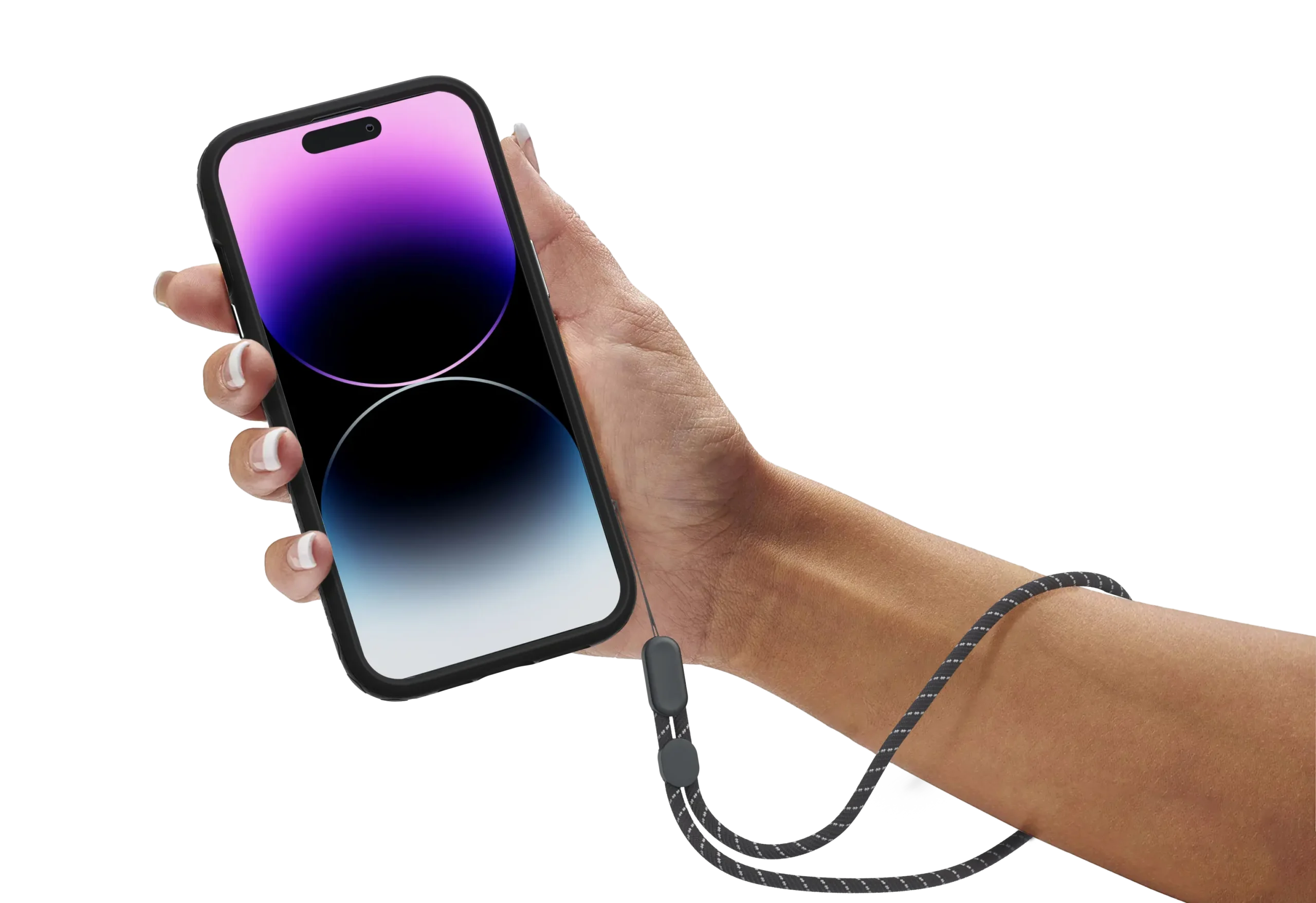
Mobile internet access has changed the way people work, stream, travel, and stay connected. One feature that often gets overlooked is phone tethering. It sounds technical, yet most smartphone users already carry everything they need to create an instant internet connection for laptops, tablets, gaming devices, and even smart TVs.
Phone tethering turns a smartphone into a portable internet source by sharing its mobile data connection with another device. It can happen through Wi-Fi hotspot mode, USB tethering, or Bluetooth tethering. For remote workers, students, travelers, and people living in areas with unreliable broadband, tethering can become a reliable backup internet option.
The growing rollout of 5G networks from providers like Verizon, AT&T, T-Mobile, and Vodafone has made tethering faster than many traditional home internet connections. Modern smartphones from brands such as Apple, Samsung, and Google Pixel now support advanced hotspot features with stronger encryption, battery optimization, and multi-device connectivity.
This guide explains how phone tethering works, the different tethering methods, speed expectations, security concerns, troubleshooting steps, and the best ways to improve performance without wasting mobile data.
What Is Phone Tethering?
Phone tethering is the process of sharing a smartphone’s mobile data connection with another device. Instead of relying on public Wi-Fi or wired broadband, the connected device uses the smartphone’s cellular connection to access the internet.
Tethering typically works in three ways:
- Wi-Fi hotspot tethering
- USB tethering
- Bluetooth tethering
Each method serves a different purpose. Wi-Fi tethering is the most common because it supports multiple devices at once. USB tethering offers faster speeds and better stability while charging the phone simultaneously. Bluetooth tethering consumes less battery but delivers slower internet speeds.
Most Android and iPhone devices include tethering features built directly into their operating systems. On Android, the setting usually appears under “Hotspot & Tethering.” On iPhone devices running iOS, it appears as “Personal Hotspot.”
People commonly use tethering when:
- Traveling without access to Wi-Fi
- Working remotely
- Handling internet outages
- Gaming on portable devices
- Streaming during road trips
- Connecting tablets in public spaces
- Providing emergency internet access
The biggest advantage is convenience. A smartphone becomes a portable router within seconds.
How Phone Tethering Works
Phone tethering works by converting a smartphone into a gateway between a cellular network and another device. The phone receives internet data through 4G LTE or 5G mobile networks, then forwards that connection through Wi-Fi, USB, or Bluetooth.
The process involves several technologies working together:
| Component | Function |
|---|---|
| Cellular Network | Provides internet access |
| Smartphone Modem | Converts mobile signal into data |
| Tethering Software | Shares the connection |
| Connected Device | Receives internet access |
When a laptop connects to a tethered phone hotspot, all internet traffic passes through the smartphone first. The phone acts similarly to a home router but uses cellular towers instead of cable or fiber infrastructure.
Network speed depends on several factors:
- Mobile carrier coverage
- Signal strength
- 4G or 5G availability
- Congestion levels
- Data plan limitations
- Number of connected devices
A strong 5G connection can sometimes exceed 200 Mbps download speeds. In weaker rural coverage areas, speeds may fall below 10 Mbps.
Many carriers also apply hotspot data caps. After reaching a limit, tethering speeds may become throttled. This is common among prepaid and budget mobile plans.
Wi-Fi Hotspot Tethering
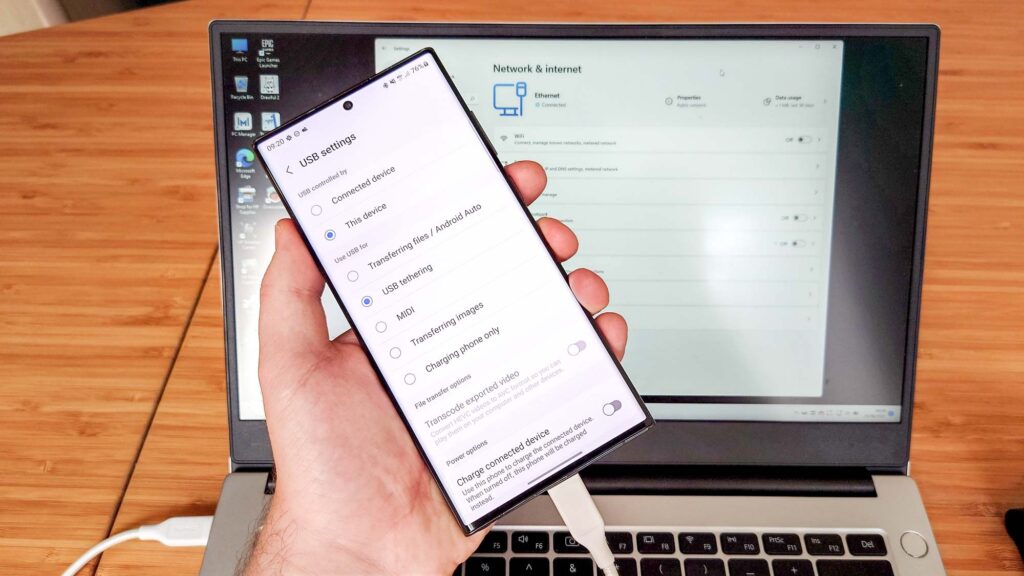
Wi-Fi tethering is the most popular option because it allows multiple devices to connect wirelessly. The smartphone creates a small Wi-Fi network similar to a traditional router.
Advantages include:
- Easy setup
- Supports several devices
- Compatible with laptops and tablets
- Fast on 5G networks
Disadvantages include:
- High battery consumption
- Increased phone heat
- Faster data usage
This method works best for general browsing, streaming, video calls, and remote work.
USB Tethering
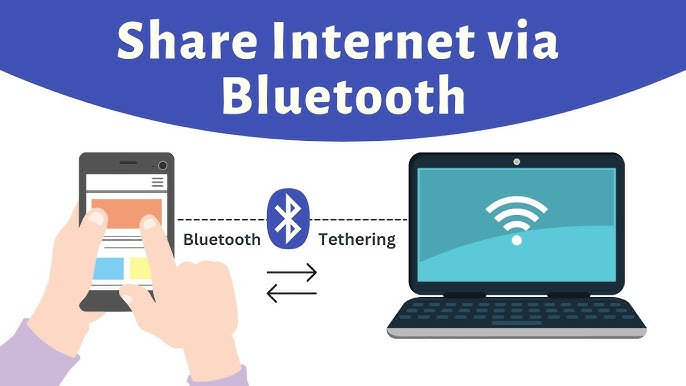
USB tethering connects a smartphone directly to a laptop or desktop computer through a cable. Many users prefer this method for stability and speed.
Benefits include:
- Faster connection reliability
- Reduced latency
- Simultaneous phone charging
- Better security than public Wi-Fi
USB tethering is often ideal for:
- Online gaming
- Video conferencing
- Large downloads
- Stable remote work sessions
Because the connection is wired, interference is minimal compared to wireless hotspots.
Bluetooth Tethering
Bluetooth tethering is less common today, mainly because it offers slower speeds. Still, it remains useful for lightweight internet tasks.
It works well for:
- Email access
- Messaging apps
- Simple browsing
- Battery conservation
Bluetooth tethering uses less power than Wi-Fi hotspots, making it practical during emergencies when battery life matters more than speed.
How to Set Up Phone Tethering on Android
Android devices vary slightly depending on manufacturers like Samsung, Xiaomi, OnePlus, or Google Pixel, but the process is usually straightforward.
Steps for Wi-Fi Hotspot Setup
- Open Settings
- Tap “Network & Internet”
- Select “Hotspot & Tethering”
- Choose “Wi-Fi Hotspot”
- Create a hotspot name and password
- Turn the hotspot on
For better security, use WPA2 or WPA3 encryption and avoid weak passwords.
Steps for USB Tethering
- Connect the phone to a computer with a USB cable
- Open Hotspot & Tethering settings
- Enable USB tethering
The computer should automatically detect the internet connection.
Steps for Bluetooth Tethering
- Pair the smartphone with another device
- Open tethering settings
- Enable Bluetooth tethering
This option is slower but consumes less battery.
How to Set Up Phone Tethering on iPhone
Apple keeps tethering features simple through Personal Hotspot settings.
Enable Personal Hotspot
- Open Settings
- Tap “Personal Hotspot”
- Turn on “Allow Others to Join”
- Set a secure password
Users can connect through:
- Wi-Fi
- Bluetooth
- USB cable
Recent iPhone models support faster hotspot sharing over 5G, especially when paired with modern MacBook devices.
Phone Tether vs Mobile Hotspot: Is There a Difference?
Many people use the terms interchangeably, but there is a subtle distinction.
| Feature | Tethering | Mobile Hotspot |
|---|---|---|
| Definition | Any internet sharing method | Usually Wi-Fi sharing |
| Connection Types | USB, Bluetooth, Wi-Fi | Primarily Wi-Fi |
| Multiple Devices | Sometimes | Yes |
| Speed | Depends on method | Usually fast |
Technically, hotspot mode is one form of tethering.
Benefits of Using Phone Tethering
Phone tethering offers flexibility that traditional broadband cannot always provide.
Instant Internet Access
A smartphone hotspot becomes available within seconds, even while traveling.
Backup During Internet Outages
When home broadband fails, tethering can keep remote workers online.
Better Security Than Public Wi-Fi
Public networks at airports, cafes, and hotels can expose users to cyber risks. Personal tethering reduces exposure to unsecured connections.
Portability
Tethering works almost anywhere with cellular coverage.
Remote Work Support
Digital nomads and business travelers rely heavily on tethering for video meetings and cloud applications.
Common Problems With Phone Tethering
Even modern smartphones can experience tethering issues.
Battery Drain
Hotspot mode consumes significant battery power because the phone continuously handles data transmission.
Overheating
Extended tethering sessions can raise device temperatures, especially during 5G usage.
Slow Speeds
Congested networks or poor signal strength reduce tethering performance.
Carrier Restrictions
Some mobile providers limit hotspot data usage or require premium plans.
Connection Drops
Older devices may disconnect under heavy traffic loads.
How to Improve Tethering Speed
Several practical adjustments can improve tethering performance dramatically.
Move to Stronger Signal Areas
Windows, balconies, and elevated spaces often improve reception.
Use USB Tethering
A wired connection reduces latency and improves consistency.
Limit Connected Devices
Too many devices sharing one hotspot can reduce speeds for everyone.
Disable Background Apps
Apps syncing photos or updates consume valuable bandwidth.
Use 5G When Available
5G networks can deliver fiber-like speeds in supported regions.
Monitor Data Usage
Streaming in 4K or downloading large files quickly consumes hotspot allowances.
Is Phone Tethering Safe?
Phone tethering is generally safer than public Wi-Fi networks, but users should still follow good security practices.
Best Security Practices
- Use strong passwords
- Enable WPA2 or WPA3 encryption
- Turn off hotspot mode when unused
- Avoid sharing passwords publicly
- Keep phone software updated
- Use a VPN on sensitive connections
Cybersecurity experts often recommend tethering over public café Wi-Fi because it reduces exposure to rogue access points and packet sniffing attacks.
Does Tethering Use More Data?
Tethering itself does not increase data usage automatically, but connected devices often consume far more data than smartphones.
A laptop may:
- Auto-download software updates
- Stream higher-quality video
- Sync cloud storage
- Load desktop websites
Activities like gaming updates or video streaming can consume gigabytes quickly.
Approximate Data Usage
| Activity | Estimated Usage |
|---|---|
| Web Browsing | 60 MB/hour |
| Video Calls | 500 MB–2 GB/hour |
| HD Streaming | 1–3 GB/hour |
| 4K Streaming | 7+ GB/hour |
| Online Gaming | 40–300 MB/hour |
Monitoring usage becomes essential on limited plans.
Best Use Cases for Phone Tethering
Phone tethering is especially useful in situations where flexibility matters more than permanent infrastructure.
Business Travel
Professionals can stay connected during flights, hotel stays, or conferences.
Emergency Internet Backup
Many households use tethering during broadband outages.
Rural Internet Access
In some rural regions, 5G tethering outperforms DSL connections.
Van Life and Digital Nomad Work
Portable internet access supports location-independent work.
Temporary Internet Setup
Students and renters often use tethering while waiting for home broadband installation.
Tethering and 5G: What Changes?
5G technology has reshaped mobile tethering performance.
Compared to older 4G LTE networks, 5G offers:
- Lower latency
- Faster download speeds
- Better congestion handling
- Improved video conferencing quality
- Stronger cloud application performance
For some users, a 5G hotspot can replace home internet entirely.
Still, speed consistency depends heavily on:
- Carrier infrastructure
- Distance from towers
- Urban density
- Indoor coverage
- Data prioritization policies
Millimeter-wave 5G can reach extremely high speeds but works best at short range.
Phone Tethering vs Dedicated Mobile Hotspots
Dedicated mobile hotspot devices from companies like Netgear and Inseego offer an alternative to smartphone tethering.
| Feature | Smartphone Tethering | Dedicated Hotspot |
|---|---|---|
| Convenience | Excellent | Moderate |
| Battery Life | Limited | Better |
| Multi-device Support | Moderate | Strong |
| Cost | Usually free | Extra hardware cost |
| Portability | Excellent | Excellent |
Dedicated hotspots often perform better for heavy users or families connecting multiple devices daily.
Advanced Tips for Heavy Tethering Users
People who rely on tethering regularly should optimize their setup carefully.
Use Unlimited Plans Carefully
Some “unlimited” plans throttle hotspot speeds after certain thresholds.
Invest in Better Cables
High-quality USB-C cables improve connection stability.
Disable Automatic Updates
Background downloads can silently consume hotspot allowances.
Use Data Compression Browsers
Browsers like Opera reduce mobile data usage.
Monitor Heat Levels
Avoid direct sunlight while tethering outdoors.
Keep Power Banks Nearby
Long tethering sessions drain batteries quickly.